 glucava
Your glucose, on your Strava activities.
After a run, Glucava adds your time in range, lowest, highest and average glucose, plus a sparkline, to the activity description. Self-hosted, open source, and your health data stays on your own server.
▁▂▃▃▄▅▄▃▃▂▂▃
How it works
One small service that runs next to your other self-hosted things.
You finish an activity
Glucava notices it by polling Strava, or immediately when your phone calls its trigger endpoint (Tasker, Apple Shortcuts).
It fetches your glucose
Readings come from Dexcom Share and are kept in your own database, so older activities can be processed later. Libre, Glooko and Nightscout exports can be imported.
It writes one block
Only its own 🩸 block is added or replaced. Before every write it checks that your own text stays byte for byte the same, and it keeps your original to restore.
Built to be left alone
The interesting part of an automation is what happens when something breaks.
Tells you when it fails
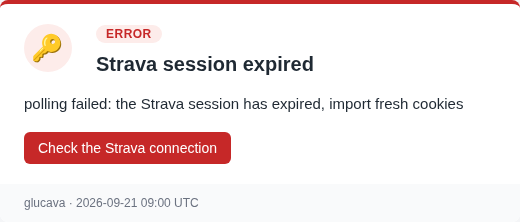
ntfy, signed webhooks or email for a failed update, an expired Strava session or missing glucose data. A daily canary checks the edit page before a real run hits a Strava change.
Chart photo and heart rate
Opt in to attach a square glucose chart to the activity, styled in settings with a live preview. Heart rate is read from Strava, kept with the glucose data and drawn on the chart.
Optional summaries
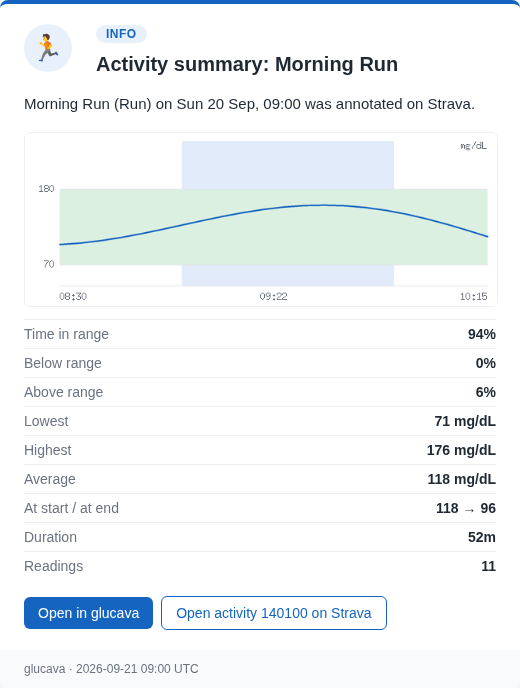
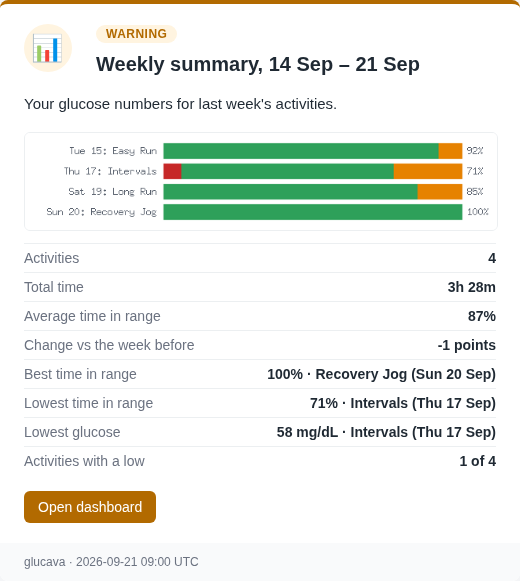
An email after each activity with a glucose chart, a weekly overview, a monthly health report as a heartbeat, and an alert if no readings arrive for hours.
Private by design
Single user. Credentials and Strava cookies are encrypted. No admin API exposed, strict CSP, hardened container example, nothing loaded from third parties.
Scriptable
Every setting is in the web UI and available from the CLI and the environment, so Ansible or cloud-init can set it up with no clicking.
Your data, your rules
Retention setting, CSV export, delete-all, backup and restore drill. Readings never leave your server except for the Strava description you asked for.
Open source
AGPL-3.0, one Go binary (PocketBase and a server-rendered UI). Adding a glucose source or importer is one small function.
Screenshots
These come from demo mode, so all data is made up. The UI follows your light or dark preference.


Emails that are worth opening
HTML with a plain-text fallback, an icon per kind, an inline chart drawn by glucava itself, and a link back to the right page.
Quick start
Docker, plus a TLS reverse proxy in front. Full guide, including scripted setup, in the README.
git clone https://github.com/MrCodeEU/glucava && cd glucava
docker build -t glucava .
docker run -d --name glucava -p 127.0.0.1:8090:8090 -v glucava:/data \
  -e GLUCAVA_ADMIN_EMAIL=you@example.com \
  -e GLUCAVA_ADMIN_PASSWORD='long-random-password' \
  -e GLUCAVA_SECRET_KEY="$(openssl rand -base64 32)" glucava
Then sign in, add your Dexcom Share credentials and sign in to Strava in the built-in browser (or paste cookies), and run glucava strava check. Try it first without any account: make mock starts a demo with made-up data.
Honest limits
Not a medical device. Glucava copies numbers from your CGM into a Strava description for your own reference. It does not measure, diagnose, alarm or advise, and must never be used for treatment decisions or as a replacement for your CGM app's alarms.
Strava has no free API. Glucava edits the description through a headless Chrome session with your own cookies. That may breach Strava's terms of service; the session is yours and the volume is low, but the risk is yours. Strava can also change its page, which is what the canary is for.
Live source: Dexcom Share today. Libre, Glooko and Nightscout exports can be imported. Not affiliated with or endorsed by Strava, Dexcom, Abbott, Glooko or Nightscout.